Instantly review: what sending 10K+ emails from 18 inboxes taught me
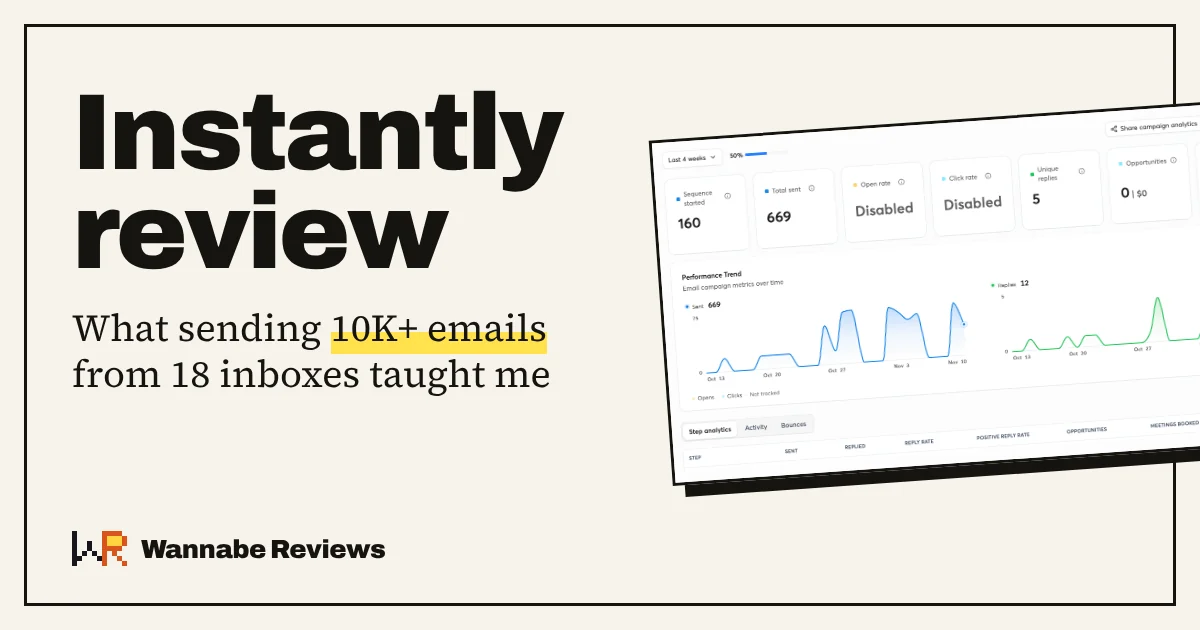
If you respect deliverability rules, Instantly is one of the best cold email tools you can pick. The only real gap is reporting across campaigns, and its AI assistant covers that for now. Skip the website visitor tracking.
How I use Instantly
I knew Instantly long before I sent a single email through it. I spent over a year studying it closely from inside the cold email industry: how it’s built, how it’s sold, and where users complain. That’s a useful lens, but it isn’t the same as running campaigns on it.
So this review rests on the part that counts: more than three months of real cold outreach, still going. Here’s the setup:
- 6 domains with 3 inboxes each, so 18 sending accounts.
- All 18 bought and set up through Instantly’s own email infrastructure, with warmup running on every one.
- Two jobs: sending the campaigns, and hosting the inboxes themselves.
What I haven’t used: the lead database (SuperSearch) and the AI Sales Agent. I use AI Reply now and then; it’s fine, nothing remarkable. None of those get a verdict here.
Deliverability holds up, if you follow the rules
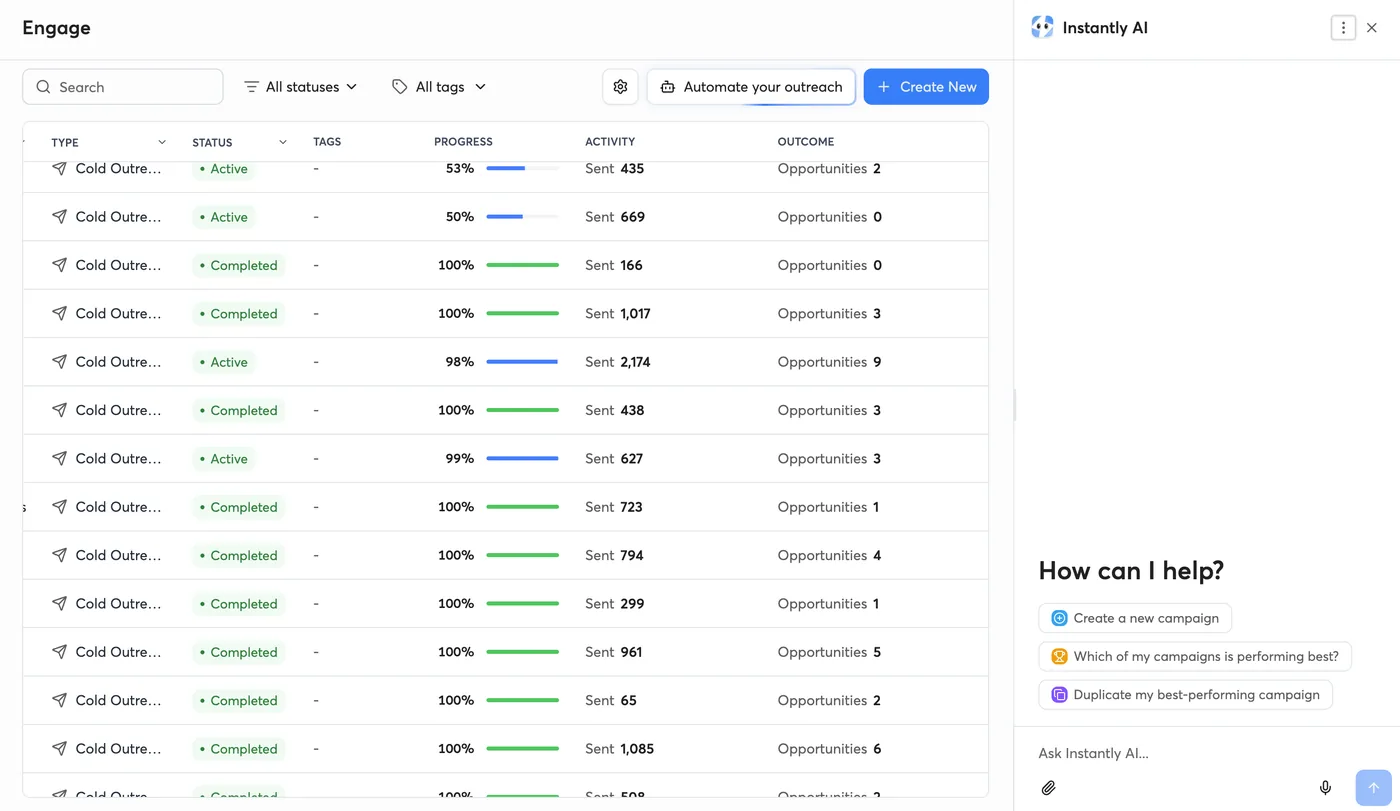
This is where most Instantly reviews go wrong, in both directions. With a sensible setup, my sender reputation has stayed very healthy the whole time, and one of my campaigns crossed a 20% reply rate. I checked that number against r/coldemail, where it counts as good.
The tool didn’t do that on its own. The setup did, and the setup is worth copying.
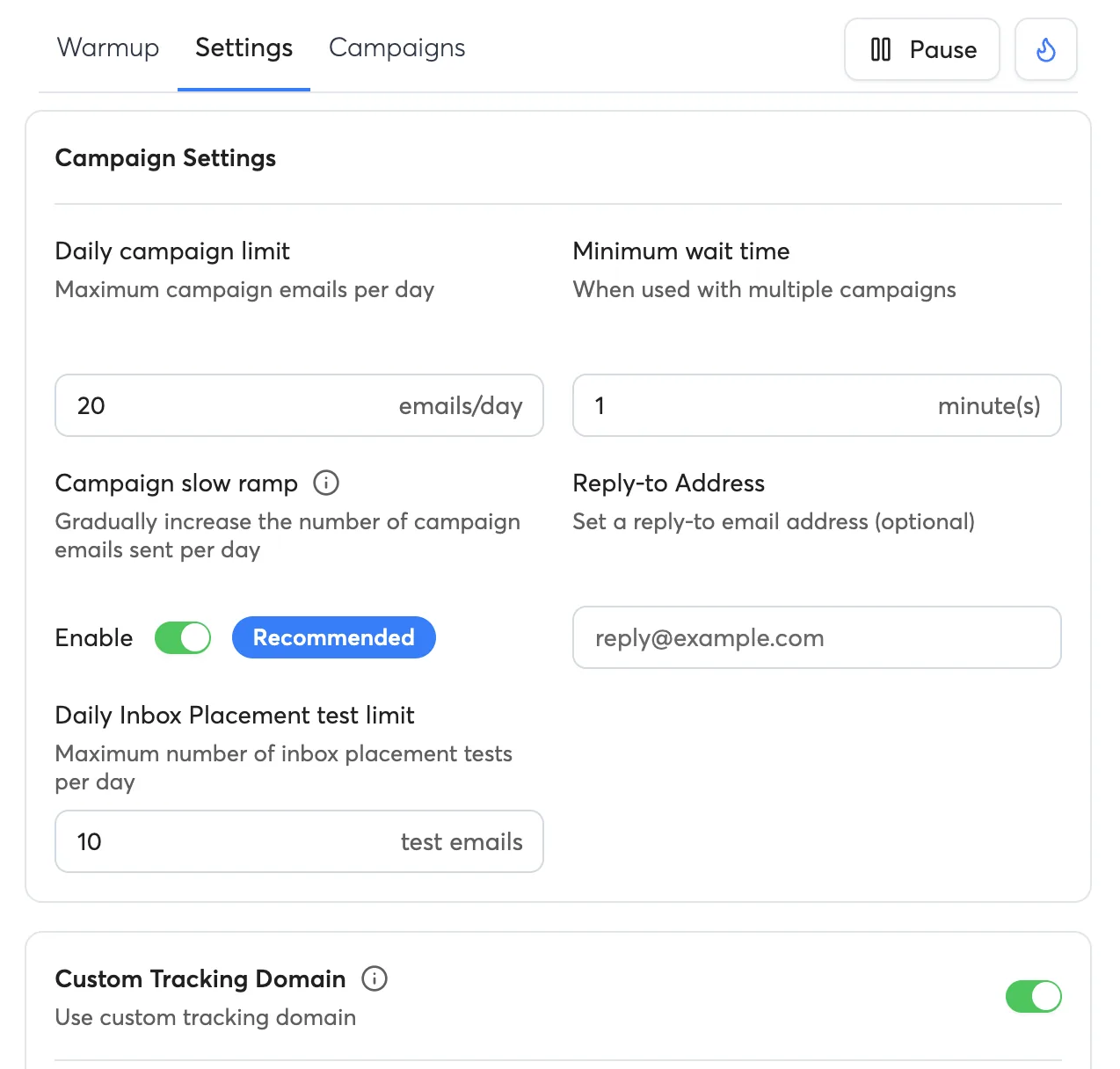
- 20 cold emails per inbox per day. Not 50, not 100.
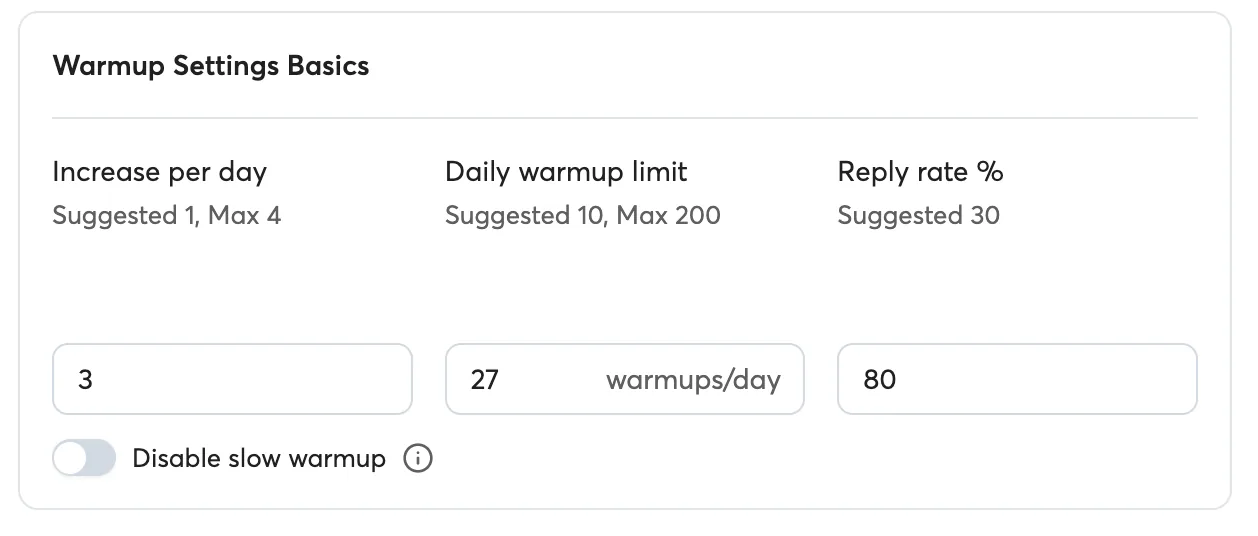
- 20–25 warmup emails per inbox per day, running alongside campaigns, permanently.
- Slow ramp on for every campaign, so volume climbs gradually.
- Several domains with a few inboxes each, instead of one domain doing all the work.
With 18 inboxes, that’s up to 360 cold emails a day without pushing any single inbox. Mindless blasting gets flagged on Instantly or anywhere else. No tool saves you from that.
Warmup you can actually tune
Warmup goes beyond an on/off switch. You set how fast it ramps up each day, the daily cap, and the reply rate warmup emails aim for. The defaults are conservative, which is fine to start with. What matters most is setting each inbox’s sending limit properly.
Inboxes, warmup and sending in one place
Buying inboxes inside Instantly is more useful than it sounds. Accounts disconnect occasionally on any platform, and inboxes bought through Instantly reconnect by themselves. Inboxes I connected from outside are another story, covered below.
Analytics stop at the campaign level
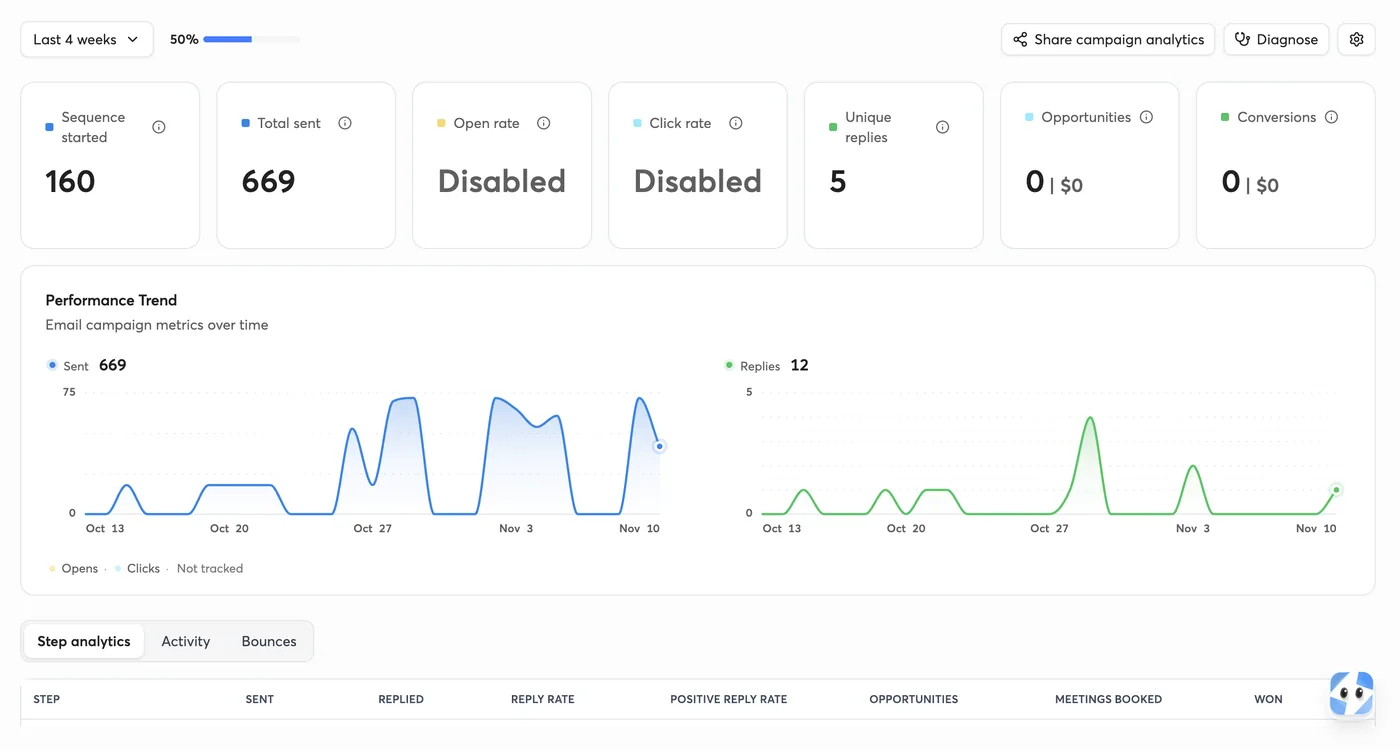
Each campaign gets a solid dashboard: leads started, emails sent, replies, opportunities and step-by-step results. What Instantly doesn’t give you is one view across every campaign.
That’s fine until your manager asks how many emails went out this week, or how the month went overall. Then you’re cooked. My first instinct was to open every campaign and add the numbers up by hand.
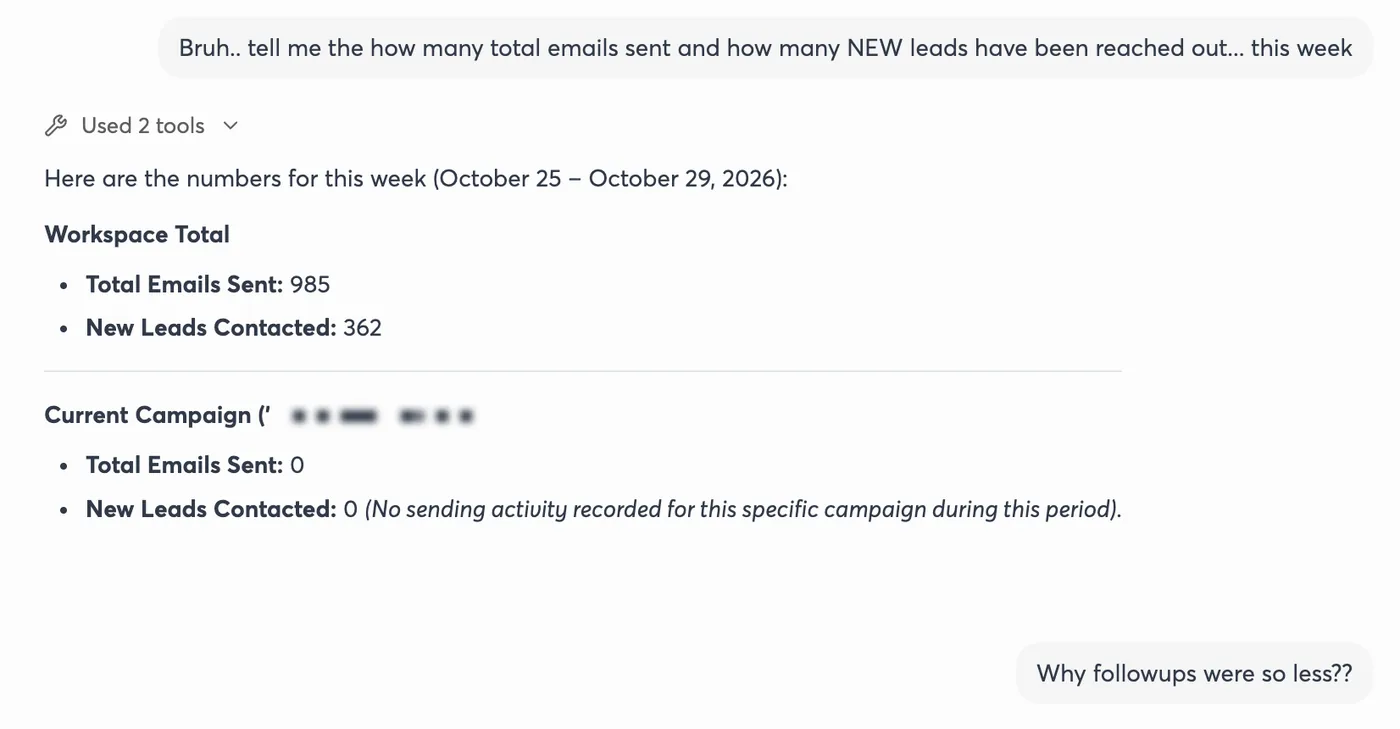
Then I tried asking Instantly’s AI assistant. I told it exactly what I needed, total emails sent and new leads contacted this week, and it pulled the numbers across the whole workspace in seconds. Until Instantly builds proper cross-campaign reports, that’s the workaround I’d use.
Is it a dealbreaker? Not for me. If you have strict reporting requirements, it might be for you.
Inboxes you connect yourself are a pain to reconnect
Every so often an email account disconnects. If you bought it through Instantly, it reconnects without you doing anything. If you connected it yourself from Google Workspace or Outlook, good luck: getting it back can take a while. If you’re starting fresh, buy the inboxes inside Instantly.
Website visitor tracking: don’t bother
This is the one feature I’d steer you away from. In my use it didn’t work properly: it didn’t collect data reliably and didn’t show anything useful. If identifying website visitors is why you’re looking at Instantly, find another tool for that part.
Why do so many people say Instantly lands in spam?
Read Reddit, Trustpilot or some G2 reviews and you’ll find a steady stream of complaints: emails landing in spam after weeks of warmup, health scores that don’t match reality, deliverability that drops once real campaigns start.
My experience has been the opposite, and I think I know why. Warmup builds a sender reputation. It can’t protect one you’re burning through every day with high volume per inbox, too few domains and no ramp-up. Most spam horror stories I’ve read look like that.
There’s a fair technical argument too. One competing warmup company argues that Instantly’s warmup network includes inboxes beyond Google and Microsoft, which may carry less weight with Gmail and Outlook. I can’t verify that from the outside. What I can tell you is that the conservative setup above has held up for months.
Support: email only, but fast
To reach a human, you email support and wait. You won’t wait long: my first reply has always come within a few hours, and fixes landed anywhere from right away to about a day later. That’s better than many people report online, so your experience may differ, but it’s been reliable for me.
Pricing: what you’ll actually pay
Checked on Instantly’s pricing page on 11 Nov 2026. These are monthly prices; annual billing costs less. Every plan includes unlimited email accounts and warmup.
| Plan | Monthly | Emails a month | Contacts | What it adds |
|---|---|---|---|---|
| Growth | $47 | 5,000 | 1,000 | Sending, warmup, AI sequence writer |
| Hypergrowth | $107 | 125,000 | 25,000 | CRM, full inbox replies, webhooks |
| Light Speed | $358 | 500,000 | 100,000 | Dedicated server and IP rotation |
What the pricing page doesn’t make obvious:
- Inboxes and domains cost extra. Instantly sells them: about $15 a year per domain and $4–10 a month per inbox, depending on the type.
- Contact limits run out before email limits. A 4-step sequence to 1,000 people is 4,000 emails, so on Growth the 1,000-contact cap is your real ceiling.
- Lead data and AI agents are billed separately, on credit plans.
- There’s no permanent free plan. You get a 14-day trial with no card, capped at 1,000 emails and 250 contacts.
Who should use Instantly, and who should skip it
Alternatives worth a look
For cold email, I’d put only two tools at Instantly’s level: Lemlist and Saleshandy. Both come with their own trade-offs, and full reviews of each are on the way.
FAQs
Is Instantly worth it in 2026?
Yes, if you’ll follow deliverability basics: low daily volume per inbox, warmup running all the time, several domains. If you plan to blast thousands of emails from a couple of inboxes, no tool will save you, Instantly included.
Does Instantly have a free plan?
No permanent free plan. There’s a 14-day free trial with no card required, limited to 1,000 emails and 250 contacts.
Is Instantly good for deliverability?
In my experience, yes. With 20 cold emails and 20–25 warmup emails per inbox per day, my sender reputation stayed healthy for months. Many spam complaints online come from setups with much higher volume.
Can Instantly show analytics across all campaigns?
Not in a single dashboard. Analytics are per campaign. The workaround is to ask Instantly’s AI assistant for workspace totals, which worked well for me.
Do I have to buy inboxes from Instantly?
No, you can connect your own Google or Microsoft inboxes. But inboxes bought through Instantly reconnect automatically when they drop, and ones you connect yourself can take a while to fix.
Rating history: top tier since this review was first published, November 2026. No corrections yet.
Sources: Instantly pricing, checked 11 Nov 2026 · MailReach on Instantly deliverability (a competing warmup company).